

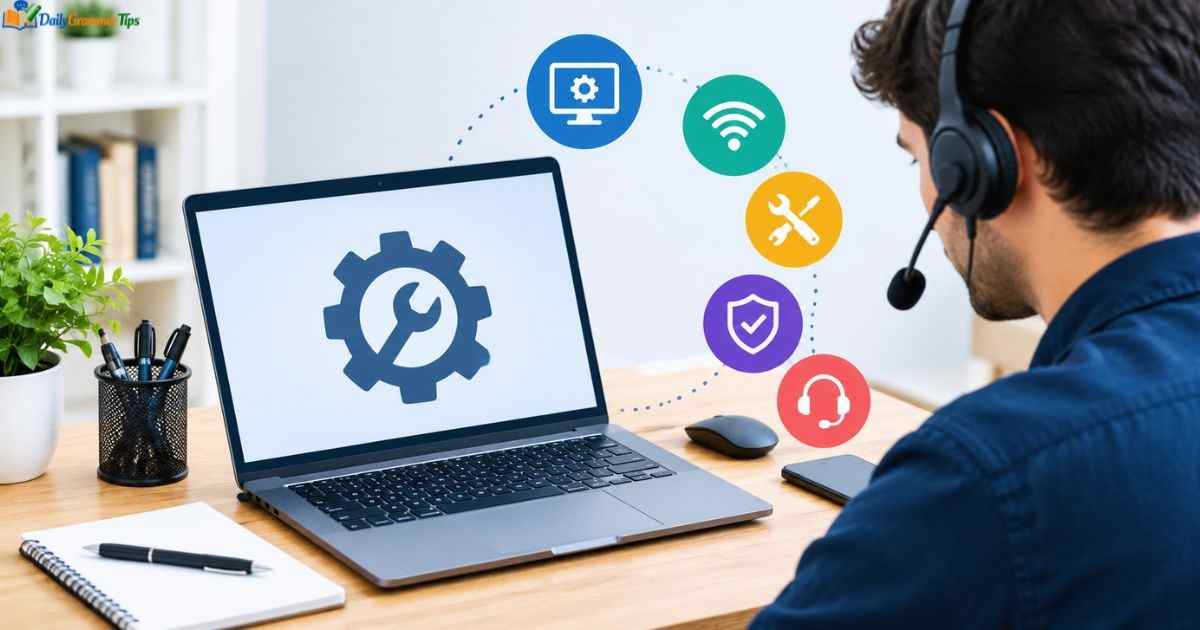
Computer tech support has become an essential service in today’s digital world. Almost every person and business depends on computers, software, and internet systems for daily tasks. When technical problems occur, computer support helps users fix issues and continue their work without major interruptions.
Computer tech support includes troubleshooting, maintenance, repair, and guidance for different technology problems. From hardware failures and software errors to network issues, technical support professionals help users keep their systems working smoothly.
What Is Computer Tech Support?
Computer tech support is a service that helps users solve problems related to computers, software, hardware, networks, and digital devices. It provides technical assistance to individuals and organizations when they face issues with their technology systems.
A computer support technician identifies problems, finds solutions, installs software, repairs hardware, and guides users on proper system usage. The main goal of computer tech support is to keep computer systems reliable, secure, and efficient.
Technical support can be provided through different methods, including phone assistance, online chat, remote access, or in-person service. The type of support depends on the problem and the user’s needs.
Main Areas Covered by Computer Tech Support
| Support Area | Purpose |
| Hardware Support | Fixes problems with computer parts and devices |
| Software Support | Resolves application and operating system issues |
| Network Support | Helps with internet and connection problems |
| Security Support | Protects systems from digital threats |
| User Assistance | Guides users in using technology properly |
Computer tech support is not only about fixing broken devices. It also helps prevent future problems through regular maintenance, updates, and system improvements.
Modern businesses rely heavily on technical support because even small computer issues can affect productivity and daily operations.
How Computer Tech Support Works
Computer tech support follows a systematic process to identify and solve technical problems. Technicians first understand the issue, collect information, and then apply suitable solutions.
The first step usually involves diagnosing the problem. A technician asks questions, checks system performance, and examines possible causes.After identifying the issue, the technician chooses the best solution. This may include software adjustments, hardware replacement, security updates, or network configuration.
Common Tech Support Process
The support process usually includes:
- Understanding the user’s problem
- Checking system information
- Identifying the root cause
- Applying the correct solution
- Testing the system after repair
A professional computer support technician focuses on solving the actual cause instead of only fixing temporary symptoms.
For example, if a computer is running slowly, the problem may not always be the device itself. It could be caused by unnecessary programs, malware, low storage space, or outdated software.
Good computer tech support improves system performance and helps users avoid repeated problems.
Types of Computer Support Services
Computer support services are available in different forms depending on user requirements. Individuals may need basic troubleshooting, while businesses often require complete IT support solutions.
Different support methods help users solve technical issues quickly and efficiently.
Common Types of Support Services
| Service Type | Description |
| On-Site Support | Technician visits the location to fix problems |
| Remote Support | Issues are solved through online access |
| Help Desk Support | Provides assistance through calls or messages |
| Managed IT Support | Provides continuous system monitoring and maintenance |
Remote support has become popular because technicians can solve many problems without visiting the user’s location.
Businesses often choose managed support services because they need regular monitoring, security updates, and technical assistance.Computer tech support services can be customized according to the size and needs of an individual or organization.
Common Computer Problems and Solutions
Computer users face different technical problems during daily use. Some issues are simple and can be fixed quickly, while others require professional assistance.
Understanding common problems helps users identify when they need computer tech support.
Slow Computer Performance
A slow computer can happen because of limited storage, outdated software, background programs, or hardware limitations.
Technicians usually check system resources, remove unnecessary files, update software, and optimize performance.
Internet Connection Problems
Network issues are among the most common technical problems. Users may experience slow internet speed, connection failures, or Wi-Fi issues.
Computer support technicians check network settings, routers, drivers, and connection configurations to solve these problems.
Software Errors
Applications may stop working because of corrupted files, compatibility issues, or outdated versions.
Technical support professionals diagnose software problems and provide solutions such as reinstalling applications or updating system files.
Malware and Security Issues
Viruses and malware can damage computer systems and steal important information.Computer tech support helps users remove threats, install security tools, and improve system protection.
Hardware Troubleshooting and Repair
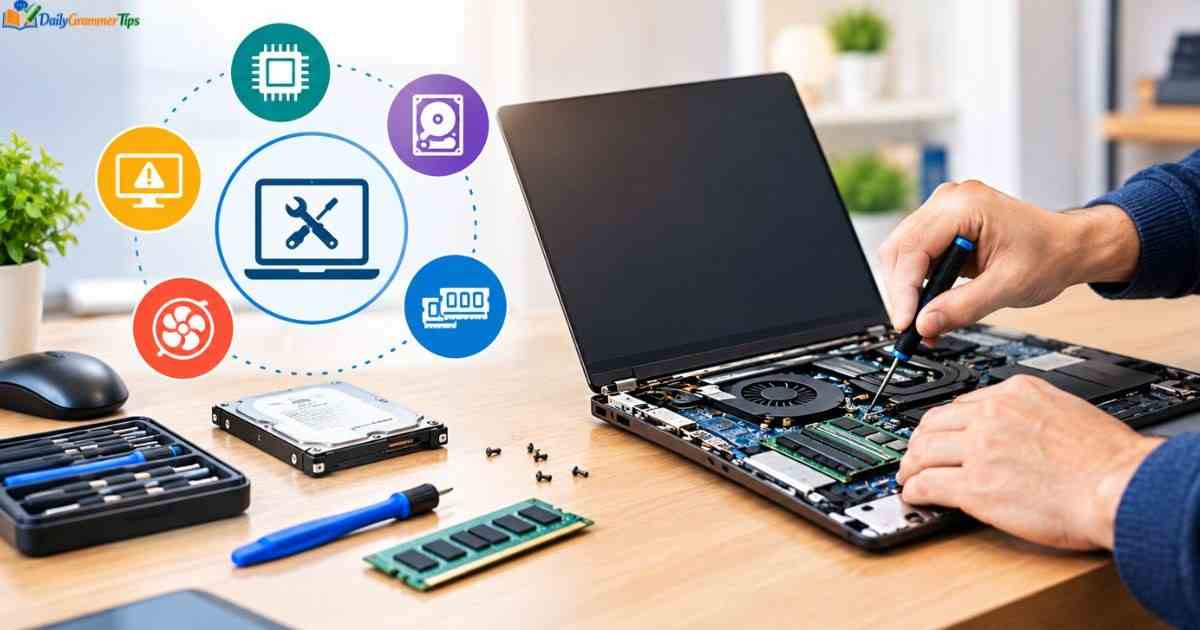
Hardware troubleshooting focuses on identifying and fixing problems with physical computer components.
Computer hardware includes processors, memory, storage devices, screens, keyboards, printers, and other connected devices.
When hardware fails, technicians inspect components and determine whether repair or replacement is required.
Common Hardware Problems
| Hardware Issue | Possible Solution |
| Computer Not Turning On | Check power supply and internal components |
| Overheating | Clean components and improve cooling |
| Storage Failure | Replace damaged storage devices |
| Broken Accessories | Repair or replace external devices |
Hardware repair requires technical knowledge because incorrect handling can cause additional damage.
Professional technicians use diagnostic tools to test components and find accurate solutions.Regular maintenance also helps prevent hardware problems and increases the lifespan of computer devices.
Software and Operating System Support
Software support focuses on solving problems related to applications, operating systems, and digital programs.
Operating systems control how computers function, so any issue with them can affect the entire system.
Computer tech support professionals help users install software, fix errors, update systems, and improve performance.
Software Support Includes
- Operating system installation
- Application setup
- Software updates
- Error troubleshooting
- Security configuration
Many software problems occur because programs become outdated or incompatible with other systems.Technicians help users maintain updated software environments to improve security and reliability.A properly configured software system allows computers to perform better and reduces technical difficulties.
Network and Internet Support
Network and internet support focuses on solving problems related to computer connections, communication systems, and online access. Today, most users depend on stable internet connections for work, education, communication, and entertainment.
When network problems occur, computer tech support professionals analyze connection issues and provide solutions to restore smooth performance.
Network support includes checking routers, Wi-Fi settings, network cables, IP configurations, and security settings. Technicians also help users improve network speed and reliability.
Learn more……………..Georgia Tech Online Master’s Computer Science Guide
Common Network Support Issues
| Problem | Possible Solution |
| Slow Internet Speed | Check connection settings and network performance |
| Wi-Fi Disconnecting | Review router settings and wireless signals |
| Network Access Problems | Check configurations and device connections |
| Security Issues | Improve network protection settings |
Businesses require strong network support because their operations often depend on connected systems.A small network problem can affect communication, customer service, and productivity. Professional computer support helps organizations maintain stable and secure networks.
Network troubleshooting requires knowledge of hardware, software, and communication systems. Technicians use diagnostic methods to identify the exact cause of connection problems.
Remote Computer Tech Support
Remote computer tech support allows technicians to solve computer problems without physically visiting the user’s location. This service uses online tools that allow professionals to diagnose and fix issues from a distance.
Remote support has become popular because it saves time and provides faster solutions. Users can receive technical assistance from almost anywhere.Many software problems, configuration issues, and system errors can be solved through remote access.
Benefits of Remote Computer Support
Remote support provides:
- Faster problem resolution
- Convenient technical assistance
- Reduced service costs
- Support from different locations
- Quick system diagnosis
During a remote support session, technicians securely connect to a user’s computer after receiving permission.They can check settings, install updates, remove problems, and guide users through solutions.
Remote computer tech support is especially useful for businesses with employees working from different locations.It also helps individuals who need quick assistance without taking their devices to a repair center.
Role of a Computer Support Technician
A computer support technician plays an important role in maintaining and improving computer systems. These professionals help users solve technical problems and ensure devices operate properly.
Their work involves troubleshooting hardware, software, networks, and security issues.A technician must understand different computer systems and communicate solutions clearly to users.
Technical Support Roles and Responsibilities
| Responsibility | Description |
| Troubleshooting | Identifies and fixes computer problems |
| System Setup | Installs and configures devices and software |
| Maintenance | Keeps systems updated and reliable |
| User Support | Helps users understand technology |
| Security Assistance | Protects systems from common threats |
Computer support technicians also monitor system performance and recommend improvements.
In businesses, they help employees continue their work by reducing downtime caused by technical problems.Strong communication skills are important because technicians often explain technical solutions to users with different levels of computer knowledge.
Skills Needed for Tech Support Jobs

A successful computer tech support professional needs both technical and communication skills. Technology changes quickly, so technicians must continue learning new tools and systems.
Technical knowledge helps professionals solve problems, while communication skills help them explain solutions effectively.
Important Technical Skills
Computer support professionals should understand:
- Computer hardware
- Operating systems
- Software installation
- Networking concepts
- Cybersecurity basics
- Troubleshooting methods
Hardware knowledge helps technicians repair physical components, while software knowledge allows them to solve application and system issues.Networking skills are important because many computer problems are connected to internet and communication systems.Security knowledge is also valuable because modern computers face many digital threats.
Important Soft Skills
Apart from technical abilities, technicians need:
- Problem-solving skills
- Patience
- Communication ability
- Customer service skills
- Time management
Users often need simple explanations instead of complex technical terms. Good technicians make technology easier to understand.
Benefits of Professional Computer Support
Professional computer support helps individuals and businesses maintain reliable technology systems. Instead of spending hours trying to fix problems, users can get expert assistance.
Computer tech support improves productivity by reducing technical interruptions and keeping systems working efficiently.For businesses, professional support helps protect important data and maintain daily operations.
Advantages of Professional Support
Professional computer support offers:
- Faster problem solving
- Better system performance
- Improved security
- Reduced downtime
- Expert technical guidance
Regular support also helps prevent future problems through maintenance and system monitoring.Many technical issues become more expensive when ignored for a long time. Professional support helps identify problems early.For businesses, investing in reliable computer support can improve efficiency and protect valuable digital resources.
Future of Computer Tech Support
Computer tech support continues to evolve as technology becomes more advanced. New tools, artificial intelligence, and automation are changing how technical problems are identified and solved.
Future support services will become faster, smarter, and more efficient.Artificial intelligence can help technicians analyze problems, detect errors, and suggest possible solutions.
Future Trends in Technical Support
| Technology | Impact on Support |
| Artificial Intelligence | Helps automate problem detection |
| Remote Monitoring | Allows continuous system checking |
| Cloud Support | Improves access to technical services |
| Automation Tools | Speeds up troubleshooting processes |
Although automation is increasing, human technicians remain important for complex problems and user communication.
The future of computer tech support will combine human expertise with intelligent tools.Professionals who continue learning new technologies will have better opportunities in the changing support industry.
Computer Tech Support Pakistan

Computer tech support in Pakistan has become increasingly important as more people and businesses depend on digital systems.Companies, educational institutions, and individuals require reliable assistance for computers, networks, software, and online services.
Pakistan has a growing technology sector where computer support services help users maintain and improve their digital infrastructure.
Common Support Services in Pakistan
Computer tech support providers in Pakistan usually offer:
- Computer repair
- Software installation
- Network setup
- Virus removal
- Data recovery
- IT maintenance
Many businesses use professional support services to manage their office technology and reduce technical problems.Remote support has also become popular in Pakistan because it allows technicians to assist users without visiting their location.The demand for skilled computer technicians continues to grow as digital adoption increases.
Technical Support Examples
Technical support includes many different services designed to solve technology-related problems.Users may contact support professionals for simple issues like software installation or complex problems involving networks and security.
Common Technical Support Examples
Examples include:
- Installing operating systems
- Fixing slow computers
- Setting up printers
- Removing malware
- Recovering lost files
- Solving internet problems
- Configuring software applications
A computer technician may also help users understand how to use new devices and applications.Technical support is not only about repairing problems. It also focuses on improving system performance and preventing future issues.
PC Tech Support Phone Number
Many users search for a PC tech support phone number when they face urgent computer problems and need immediate assistance. Phone support provides a direct way to communicate with technical experts and explain issues clearly.
A support technician can guide users through troubleshooting steps, identify possible causes, and recommend suitable solutions. Phone-based support is useful for problems related to software errors, system settings, and basic computer issues.
Issues Commonly Solved Through Phone Support
| Problem Type | Support Assistance |
| Software Errors | Guides users through fixes and settings |
| Account Issues | Helps recover access and update information |
| System Problems | Provides troubleshooting instructions |
| Device Setup | Assists with installation and configuration |
Phone support is especially helpful for users who are not comfortable solving technical problems alone.A good computer tech support service focuses on clear communication and simple explanations so users can understand the solution.
Some complex issues may require remote access or physical repair because technicians need direct system access to diagnose the problem.
Best Online Computer Tech Support
Online computer tech support provides convenient solutions for users who need technical assistance without visiting a repair center. Through online platforms, users can connect with professionals who help solve computer problems remotely.
The best online support services usually provide fast response times, experienced technicians, secure tools, and solutions for different types of computer issues.Online support can help with software installation, troubleshooting, security problems, and system optimization.
Features of Quality Online Support
A reliable online computer support service should offer:
- Experienced technicians
- Secure remote assistance
- Quick problem diagnosis
- Clear communication
- Multiple support options
The advantage of online support is convenience. Users can receive help from their home, office, or any location with an internet connection.
Businesses also benefit from online computer tech support because employees can quickly get assistance without long delays.Modern support platforms combine remote access tools, knowledge bases, and automated solutions to improve the user experience.
Free 24 Hour Computer Support
Free 24 hour computer support refers to technical assistance that is available at any time without requiring users to wait for normal business hours.
This type of support can be useful when unexpected computer problems occur during work, study, or personal activities.
Users may need immediate help with issues such as system errors, internet problems, or software difficulties.
Common Situations Requiring Immediate Support
Users may need urgent help for:
- Computer not starting
- Internet connection failure
- Security warnings
- Software crashes
- Important file access problems
Some free support options provide basic guidance through online communities, tutorials, or automated tools.Professional support services may offer continuous assistance through different service plans.
Users should always choose trusted support sources because allowing unknown people to access a computer can create security risks.Safe computer tech support practices protect personal information while solving technical issues.
Free Online Tech Support
Free online tech support helps users find solutions to common computer problems through digital resources and community assistance.
Many users use online guides, forums, videos, and troubleshooting tools to solve simple technical issues themselves.
This type of support is useful for learning basic computer maintenance and understanding common problems.
Examples of Free Online Support Resources
Free support options include:
- Troubleshooting guides
- Technology forums
- User communities
- Educational videos
- Software documentation
Free resources can help users learn basic skills and fix simple problems.Complicated issues involving hardware damage, data recovery, or security threats often require professional assistance.Computer tech support professionals provide deeper knowledge and experience that free resources may not offer.
Technical Support Meaning
Technical support means providing assistance to users who experience problems with technology products, systems, or services.
It includes helping users understand, repair, maintain, and properly use computers, software, networks, and digital devices.
The main purpose of technical support is to solve problems and improve the user experience.
Areas Included in Technical Support
Technical support covers:
| Area | Purpose |
| Hardware Support | Fixes physical device problems |
| Software Support | Solves application and system issues |
| Network Support | Maintains internet and connectivity |
| User Support | Provides guidance and training |
Technical support professionals use their knowledge to diagnose issues and provide effective solutions.
The role is important because technology systems are becoming more complex, and users need expert guidance.Computer tech support is a major part of technical support because computers are used in almost every industry.
Importance of Computer Tech Support for Businesses
Businesses depend on computer systems for communication, operations, customer management, and data storage.
When technology problems occur, they can slow down productivity and affect business performance.Professional computer tech support helps companies maintain reliable systems and reduce downtime.
Business Benefits of Technical Support
| Benefit | Impact |
| Faster Repairs | Reduces work interruptions |
| Better Security | Protects company information |
| System Maintenance | Improves technology performance |
| Expert Guidance | Helps businesses use technology effectively |
Businesses often require ongoing support because their technology needs continue to change.
Computer technicians help companies update systems, manage networks, and improve digital security.Reliable technical support allows businesses to focus on their main goals without worrying about constant technology problems.
How to Choose the Right Computer Tech Support Service

Choosing the right support service is important because users trust technicians with their devices and information.
A good support provider should have technical knowledge, reliable communication, and experience solving different computer problems.
Before selecting a service, users should understand their needs and compare available options.
Factors to Consider
Consider:
- Technician experience
- Response time
- Security practices
- Service availability
- Customer reviews
A professional computer tech support provider should explain problems clearly and provide practical solutions.Good support is not only about fixing current issues. It also helps prevent future problems through proper maintenance and guidance.
Frequently Asked Questions
What are the 7 basic computer skills?
The 7 basic computer skills include typing, file management, internet use, software applications, email communication, cybersecurity basics, and troubleshooting.
How can I find someone to help me with my computer?
You can find computer help through local technicians, online tech support services, IT companies, or remote support professionals.
What is the best online tech support?
The best online tech support provides fast responses, experienced technicians, secure remote access, and solutions for hardware and software problems.
Where can I ask for PC help?
You can ask for PC help through technology forums, support communities, repair services, or professional computer technicians.
How can I learn computer skills?
You can learn computer skills through online courses, practice with digital tools, tutorials, and hands-on experience with computer systems.
Conclusion
Computer tech support plays an important role in helping individuals and businesses manage modern technology. From hardware repairs and software troubleshooting to remote assistance and network solutions, technical support keeps computer systems reliable and efficient.
As technology continues to grow, the need for skilled support professionals will also increase. Reliable computer tech support helps users solve problems, improve performance, and use digital systems with confidence.
