


CrewAI has become one of the most talked about names in the AI agent space. Developers use it to build teams of AI agents that work together on real tasks, instead of relying on a single prompt and hoping for the best.
This guide explains what CrewAI is, how it works, and why so many teams are choosing it. You will also learn about its tools, pricing, alternatives, and how to get started with your first crew.
What Is CrewAI?
CrewAI is an open source Python framework that lets multiple AI agents work together as a team. Each agent in a CrewAI system has its own role, goal, and backstory, similar to a member of a real work crew.
The framework was built to make multi agent collaboration simple. Instead of writing complex logic by hand, CrewAI gives developers ready made building blocks for agents, tasks, and teamwork.
CrewAI is used by individual developers, startups, and large enterprises alike. It supports both simple automations and complex, production grade workflows.
How Does CrewAI Work?
CrewAI works by assigning specific roles to different AI agents and letting them collaborate toward one shared goal. A language model acts as the reasoning engine behind each agent.
Every agent perceives the task in front of it, decides what to do, and takes action using the tools it has access to. Agents can also talk to each other, delegate work, and ask questions when needed.
The Basic Flow
A typical CrewAI setup follows a simple pattern. You define your agents, you define the tasks they need to complete, and you group them into a crew.
Once the crew starts, tasks run in a set order or through a manager agent, depending on the process you choose. The final output is returned once every task is complete.
Key Components of CrewAI
CrewAI is built from a small set of core building blocks. Understanding each one makes the whole framework much easier to use.
Agents
Agents are the individual workers inside a crew. Each one is defined by a role, a goal, and a backstory that shapes how it behaves.
Tasks
Tasks are the specific jobs assigned to agents. A task includes a description, the agent responsible, and the expected output.
Tools
Tools give agents extra abilities, such as searching the web, reading files, or querying a database.
Processes
Processes control how tasks are executed. CrewAI supports sequential execution and hierarchical execution through a manager agent.
Crews
A crew is the full team. It brings agents, tasks, and a process together into one working system.
CrewAI Agents Explained
A CrewAI agent is more than just a wrapper around a language model. Each agent is given a clear identity through its role, goal, and backstory, which shapes how it reasons and responds.
For example, one agent might be a researcher and another a writer. The researcher gathers information, and the writer turns that research into a finished piece of content.
Agents can also delegate tasks to one another when allowed. This mirrors how a real team works, where not every member needs to do every job themselves.
CrewAI Tools: Built In and Custom Options
CrewAI tools extend what agents can actually do. Without tools, an agent can only reason and generate text based on what it already knows.
The CrewAI toolkit includes options such as web search tools, website scraping tools, and file reading or writing tools. These let agents pull in fresh information instead of relying only on training data.
Custom Tools
Developers can also build their own custom tools. A custom tool simply needs a clear description so the agent knows when and how to use it.
This flexibility means CrewAI can connect to almost any external system, including internal company databases, APIs, or specialized software.
CrewAI Crews vs Flows

CrewAI offers two different ways to build automations, called Crews and Flows. Both matter, but they solve different problems.
Crews are best when you want agents to work things out on their own. Flows are best when you need precise, event driven control over each step.
| Aspect | Crews | Flows |
| Control level | Agent driven | Developer defined |
| Best for | Autonomous collaboration | Structured, multi step pipelines |
| Flexibility | High autonomy | High control |
| Typical use | Research, content, analysis tasks | Production pipelines with conditional logic |
Many real projects use both together. A Flow can call one or more Crews as steps inside a larger, controlled pipeline.
Is CrewAI Free and Open Source?
Yes, CrewAI is free and open source at its core. The main framework is released under the MIT license, so developers can use it, modify it, and build on top of it without cost.
CrewAI also offers a paid enterprise suite for teams that need extra governance, observability, and managed deployment. This paid layer sits on top of the open source core rather than replacing it.
Most individual developers and small teams can build fully functional crews using only the free, open source version.
How to Install and Set Up CrewAI
Getting started with CrewAI is straightforward if you already have Python installed. CrewAI supports Python versions from 3.10 up to but not including 3.14.
Installation Steps
You can install the CrewAI command line tool using a package manager called UV. Once installed, you create a new project with a single command.
CrewAI then generates a folder structure for you, including files for agents, tasks, and crew settings. From there, you fill in your own roles, goals, and task descriptions.
Setting Your API Key
Before running a crew, you need to configure an API key for the language model you plan to use. This can be OpenAI, a local model, or another supported provider.
Once your key is set, you install project dependencies and run the crew with a simple command from your terminal.
Learn more………Corporate Social Responsibility: Meaning
CrewAI GitHub Repository: What You Get
The official CrewAI GitHub repository is where the open source framework lives. It includes the full source code, documentation links, and example projects.
The repository also has an active issues and pull requests section, which shows the framework is actively maintained. Thousands of developers have starred and forked the project.
What You Will Find There
Inside the repository, you get installation guides, a detailed README, and sample crews such as a trip planner, a stock analysis tool, and a job posting generator.
There is also a separate examples repository maintained by the CrewAI team, which is a good starting point if you want to see working code before writing your own.
Building Your First Crew: A Step by Step Example
Building a first crew is a great way to understand how all the pieces fit together. A simple example is a two agent crew that researches a topic and then writes about it.
Step 1: Define the Agents
Create a researcher agent with a goal to gather accurate information, and a writer agent with a goal to turn that research into clear content.
Step 2: Define the Tasks
Write a research task tied to the researcher agent, and a writing task tied to the writer agent that uses the research as its context.
Step 3: Assemble the Crew
Combine both agents and both tasks into a single crew object, and choose a sequential process so the writing task happens after the research task.
Step 4: Run the Crew
Start the crew with a single command. CrewAI handles the coordination, and you receive the final written output once both agents finish their work.
CrewAI Studio: A No Code Way to Build Crews
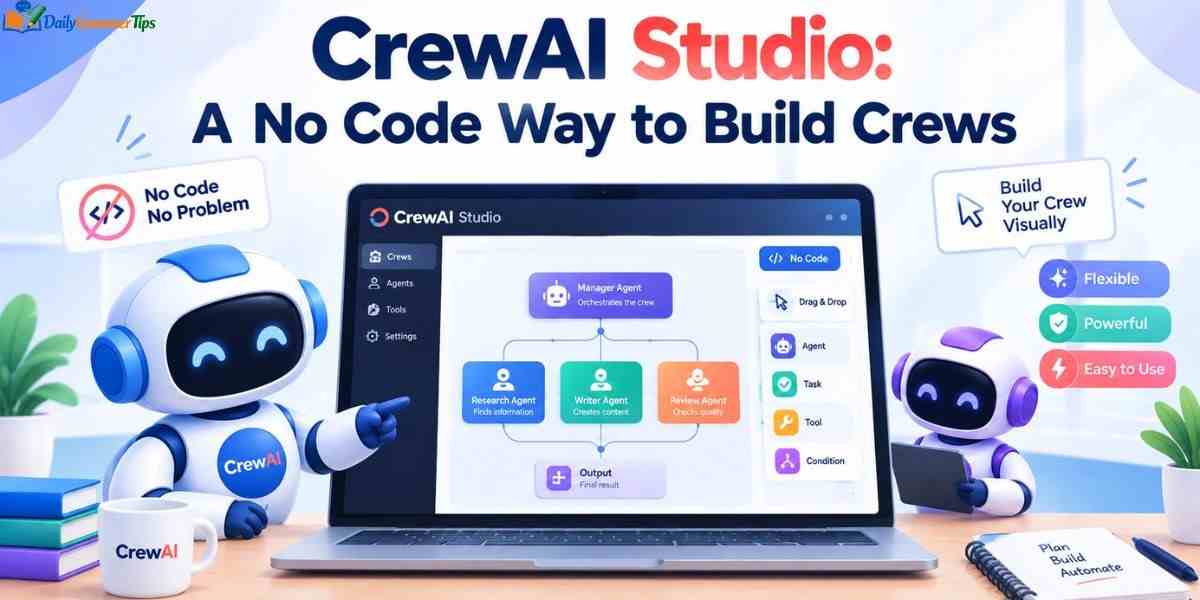
Not every user wants to write Python code to build a crew. CrewAI Studio style tools give a visual, no code way to design agents and workflows.
These visual builders let you drag and drop agents, connect tasks, and configure settings through a simple interface. The result can often still be exported as code for developers who want more control later.
This option is especially useful for business teams who understand the workflow they want but are not comfortable writing code themselves.
CrewAI UI Options
CrewAI itself is a code first framework, but there are UI layers built around it. Some are official enterprise tools, and others come from the wider community.
A typical CrewAI UI shows your agents, tasks, and crew structure in a visual dashboard. Some interfaces also show live traces of what each agent is doing during a run.
For teams managing many crews at once, a UI makes it much easier to monitor performance, debug failures, and track costs across every workflow.
Key Features of CrewAI
CrewAI comes with a set of features designed to make multi agent development practical rather than experimental.
Role based architecture lets you assign clear responsibilities to each agent. Flexible communication allows agents to exchange information and delegate tasks smoothly. Tool integration connects agents to the outside world through search, files, and custom functions.
Scalability is also built in, so a crew that works with two agents can often grow to handle many more without a full rebuild. Support for both Crews and Flows means simple and complex projects can both be handled inside one framework.
Benefits of Using CrewAI
The biggest benefit of CrewAI is that it turns a hard coordination problem into a manageable one. Instead of writing custom logic for every agent interaction, you describe roles and let the framework handle collaboration.
CrewAI also saves development time. Its structure encourages reusable, modular agents that can be swapped between projects with minimal changes.
Because CrewAI is open source, teams are not locked into one vendor. This makes it a flexible starting point for both small experiments and full production systems.
CrewAI Use Cases and Real World Examples
CrewAI is used across many different industries and job functions.
Content and Research
Teams use CrewAI to research a topic, draft content, and review it, all using separate specialized agents working together.
Business Operations
Companies use CrewAI to automate lead enrichment, customer support ticket handling, and internal reporting tasks.
Finance and Analysis
Some teams build crews that gather financial data, analyze trends, and produce investment style summaries automatically.
Real companies have reported strong results after adopting CrewAI, including faster response times in customer support and large reductions in manual content development time.
CrewAI vs LangGraph vs AutoGen
CrewAI is often compared to two other popular frameworks, LangGraph and AutoGen. Each one takes a different approach to building agent systems.
| Framework | Core Approach | Best For |
| CrewAI | Role based agents with Crews and Flows | Fast, structured multi agent collaboration |
| LangGraph | Graph based state and execution control | Teams needing fine grained execution paths |
| AutoGen | Conversational, flexible agent framework | Highly flexible, chat style agent interactions |
CrewAI tends to be the fastest path to a working prototype because of its simple role based setup. LangGraph offers more precise control but requires more setup knowledge. AutoGen is strong for conversational, back and forth agent interactions.
Best CrewAI Alternatives

If CrewAI does not fit your exact needs, there are several solid alternatives worth knowing about.
LangGraph is a strong choice for teams that want detailed control over execution paths and state management. AutoGen works well for highly conversational, flexible agent setups. Other options include custom built solutions using a single agent framework with manual orchestration on top.
The right alternative usually depends on how much control you need versus how much autonomy you want your agents to have.
When Should You Use CrewAI?
CrewAI makes the most sense when your task is too complex for a single prompt but still benefits from clear, defined roles. If you need agents that plan, act, and collaborate with a person only setting the goal, CrewAI fits well.
If you need a simple one step transformation, like summarizing a document, a full crew may be more setup than necessary. In that case, a single generative AI call is often enough.
Most teams start with a small crew of two or three agents. Once that pattern works, it becomes much easier to scale up to larger, more complex crews.
How to Download and Get Started with CrewAI
There is no separate desktop app to download for the core CrewAI framework. Instead, you install it as a Python package using a package manager.
Once installed, the CrewAI command line tool can scaffold a brand new project for you automatically. This includes folders for agents, tasks, and crew configuration files.
From there, getting started is mostly about editing text based configuration files and running your crew from the terminal.
CrewAI for Enterprise vs Individual Developers
CrewAI serves two very different audiences well, individual developers and large enterprises.
| Aspect | Individual Developers | Enterprise Teams |
| Cost | Free, open source | Free core plus paid enterprise suite |
| Setup | Local install, simple config | Managed platform with governance tools |
| Monitoring | Basic logging | Full observability and audit trails |
| Scale | Small to medium projects | Large scale, many concurrent crews |

An individual developer can build and run a fully working crew with nothing more than the open source package. An enterprise team often adds the paid layer for security, monitoring, and centralized control across many teams.
Frequently Asked Questions
Is CrewAI free to use?
Yes, the core CrewAI framework is free and open source under the MIT license. A paid enterprise suite is available for extra governance features.
What are CrewAI tools?
CrewAI tools are add ons that let agents search the web, scrape websites, read files, or connect to custom systems.
What are the best CrewAI alternatives?
Popular alternatives include LangGraph for graph based control and AutoGen for conversational, flexible agent interactions.
Is CrewAI available on GitHub?
Yes, CrewAI is fully open source on GitHub, including its source code, documentation links, and example projects.
Does CrewAI have a user interface?
CrewAI is code first, but visual, no code style builders and enterprise dashboards exist for teams that prefer a UI.
Conclusion
CrewAI has quickly become a leading choice for building multi agent AI systems. Its role based design makes agent collaboration feel natural, and its open source core keeps it accessible to any developer.
You are experimenting with your first two agent crew or planning a large enterprise rollout, CrewAI gives you a clear path forward. Start small, learn how agents and tasks fit together, and scale up as your needs grow.
