


Every day, millions of people log in to banking apps, email accounts, and work portals. Most never stop to think about who else is trying to get in. Cyber hacking sits behind many of the scams, leaks, and outages that make the news. It affects phones, homes, schools, hospitals, and small shops just as much as large companies.
This guide explains the topic in plain language. You will learn who hackers are, how they work, and what damage they can cause. You will also see how everyday users and businesses can protect themselves. The advice focuses on habits and principles that stay useful even when tools and trends change.
What Is Cyber Hacking?
Cyber hacking is the act of gaining access to a digital device, account, or network without the owner’s approval. It can also mean using a system in a way its designers never planned. The target can be a phone, a laptop, a server, a website, or a smart home gadget. It covers everything from a stolen password to a full network takeover.
The word hacking was not always negative. Early computer hobbyists used it to describe clever problem solving. Over time, the meaning split into two paths. Today it can describe criminal break ins and approved security testing. Both meanings still exist, which is why context matters when you read the word.
The Core Idea Behind Hacking
At its core, hacking means making a system do something its makers did not expect. A hacker studies how a system works. Then the hacker looks for gaps, mistakes, or weak habits. Those gaps become the way in. Cyber hacking follows the same curiosity, but it aims that curiosity at weak spots for profit.
Gaps can be technical, such as software that was never updated. They can also be human, such as a rushed employee who clicks a fake link. Strong defense covers both sides. Closing only one type of gap leaves the other wide open for attackers.
Hacking Versus a Cyberattack
People often use these two terms as if they mean the same thing. They do not. Hacking is the act of getting access. A cyberattack is a harmful action taken with that access, such as stealing data or locking files. Mixing them up can cause confusion when people read news about security incidents.
This difference matters in law too. Access with permission can be legal and useful. Harmful action without permission is a crime in almost every country. Permission, purpose, and proof of approval are what separate the two.
Why the Topic Matters for Everyone
Nearly every service we use now runs online. Payments, health records, school portals, and travel bookings all depend on digital systems. One weak account can open the door to many others. Cyber hacking thrives on that daily reliance, because attackers only need one small weakness.
That is why cyber hacking is no longer only an IT concern. It is basic digital awareness for anyone who owns a phone or an email address. Understanding it is the first step toward staying safe. Small choices made each day add up to strong protection.
History of Hacking
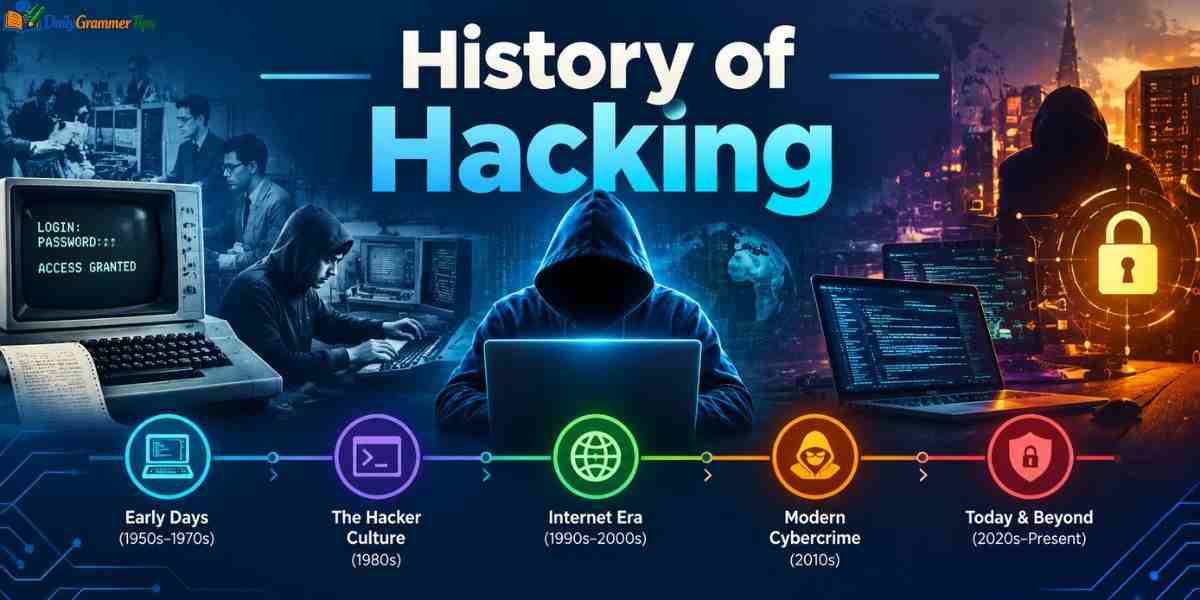
The story of hacking starts long before the modern internet. In the middle of the twentieth century, students at technical universities used the word for smart shortcuts in early computer systems. Telephone networks became another early playground. Each new invention gave curious people a fresh system to explore and test.
As computers began to connect, curiosity turned into crime for some people. Laws had to catch up. That pattern of new technology, new abuse, and new rules has repeated ever since. The story of cyber hacking is really the story of technology outrunning its own safeguards.
From Curious Tinkerers to Early Intruders
The first hackers were mostly explorers. They wanted to learn how machines worked and how far they could be pushed. Many of them later became respected engineers and security experts. Their curiosity shaped early security thinking and taught the industry how systems fail.
By the early 1980s, movies and news stories had made hacking famous. Groups of teenagers began breaking into computers at well known institutions. Most caused little harm, but the public was alarmed. Public fear grew quickly, even though many early cases were pranks rather than serious crimes.
The First Laws Against Computer Crime
Those early break ins pushed lawmakers to act. Governments began writing rules that treated unauthorized computer access as a crime. In the United States, the Computer Fraud and Abuse Act became a key law. These laws also gave investigators a legal base for tracking and charging offenders.
Other countries followed with their own cyber laws. The details differ, but the message is the same. Entering a system without permission can lead to fines, court cases, and prison. Cooperation between countries has grown, because attackers often work across borders.
The Internet Age and Organized Crime
In 1988, a self copying program known as the Morris Worm spread across the early internet. It caused more damage than its creator intended. It also became a warning about how fast a single flaw can spread. It was one of the first events to show how fragile connected systems can be.
When online banking and shopping grew, crime grew with them. Money made hacking attractive. Today many attackers work in organized groups with clear roles, tools, and profit plans. Cyber hacking turned from a hobby into an industry with clear rewards and clear risks.
Types of Hackers: White Hat, Black Hat, and Grey Hat
A security hacker is any person who explores weaknesses in computer systems. The label alone says nothing about right or wrong. What matters is permission and intent. It is a neutral term that covers a wide range of skills and motives.
The hat color model gives a simple way to sort hackers. It comes from old western films, where heroes wore white hats and villains wore black ones. Grey sits in between. It is only a guide to cyber hacking, since real cases often sit between the labels.
| Feature | White Hat | Black Hat | Grey Hat |
| Permission | Always has approval | Never has approval | Usually has no approval |
| Main goal | Protect and fix | Steal, harm, or profit | Expose flaws or gain recognition |
| Legal status | Legal | Illegal | Often illegal |
| Typical result | Better security | Damage and loss | Mixed outcomes |
White Hat Hackers
White hat hackers are the defenders. Companies hire them to test their systems and find weak points before criminals do. They follow rules, stay within agreed limits, and report every finding. They agree on rules in advance, including what may be tested and when.
Many white hats work as penetration testers or security consultants. Their reports help teams fix flaws in a planned way. This makes them a core part of modern security. Their work turns hidden weaknesses into clear tasks that teams can fix.
Learn more…….Cryptography: Types, Algorithms and Real World Uses
Black Hat Hackers
Black hat hackers break in for personal gain or harm. They may steal card numbers, sell stolen data, or demand money to return locked files. Some also spy on rivals for hire. Some sell tools or stolen data to others, which spreads the harm even further.
Money is the most common motive. Revenge, boredom, and the wish for fame also play a part. Whatever the reason, their actions cause real harm to real people. Their tactics vary, but this kind of cyber hacking always crosses legal and ethical lines.
Grey Hat Hackers
Grey hat hackers sit in the middle. They often break into a system without permission, but not to cause harm. They may then tell the owner about the flaw and hope for a reward. They may believe they are helping, yet the owner never agreed to the test.
Their intent may be good, but the method is still risky. Entering a system without approval can break the law. Public disclosure can also alert criminals before the flaw is fixed. Responsible researchers avoid this trap by reporting flaws through approved channels.
Other Types of Hackers: Hacktivists, Script Kiddies, and State-Sponsored Actors

The hat model does not cover everyone. Many hackers are driven by belief, thrill, or national goals rather than money alone. Understanding these groups helps explain why attacks vary so widely. These groups show that cyber hacking is shaped by many motives, not only money.
Some groups act in public. Others stay hidden for years. Their skills, funding, and targets differ a great deal. Each group needs a slightly different defense plan. Knowing who you face makes planning far easier.
Hacktivists
Hacktivists use hacking to support a political or social cause. They may deface websites, leak private documents, or flood a service with traffic. Their aim is to draw attention to an issue. Their methods often aim at attention and public reaction rather than direct profit.
Supporters see them as digital protesters. Critics point out that their acts are still illegal and can hurt innocent people. The debate over their methods continues. Whatever the view, organizations in the public eye should prepare for such attacks.
Script Kiddies
Script kiddies are beginners who use ready made tools created by others. They often lack deep technical skill. They hack for fun, attention, or to impress friends. Learning from these tools can be tempting, but using them on others without approval is illegal.
Do not underestimate them. Even simple tools can do harm when a target is poorly protected. Many small sites and home networks are hit by this kind of low skill attack. Basic security habits already stop most of these easy attempts.
State Sponsored Actors
State sponsored hackers work for or with a government. Their tasks can include spying, stealing secrets, or disrupting rival services. They often have large budgets and patient teams. Their operations may continue quietly for months before anyone notices a sign. Small suppliers and partners are sometimes attacked first, as a stepping stone to larger targets.
Their targets usually include government bodies, defense firms, energy networks, and research labs. A malicious insider, such as an angry employee, is another risk that every organization should keep in mind. Regular reviews of who has access to what can limit that risk.
Common Cyber Hacking Techniques
Attackers rarely rely on magic. Most successful break ins use a small set of proven methods again and again. These methods work because people reuse passwords, delay updates, and trust messages too quickly. That is good news, because proven habits can block the methods used in cyber hacking.
Knowing the basic ideas makes them easier to spot. This section explains them at a high level, with a focus on defense. Cyber hacking techniques change in style, but the core ideas stay the same. Learning them once gives you a base for understanding new variations later.
Password Attacks
Passwords are still the main lock on most accounts. Attackers try to guess them, test lists of common choices, or reuse passwords leaked from other sites. This last method is called credential stuffing. Automated tools can try huge numbers of guesses very quickly, which is why weak passwords fail fast. Unique passwords prevent one leak from spreading across your whole online life.
The defense is simple. Use a long, unique password for every account. Add a second step, such as an app code, so a stolen password alone is not enough. A password manager makes this easy, since it remembers each one for you.
Exploiting Software Flaws
Every program has bugs, and some bugs create security holes. Attackers search for these holes and use them to get in. Vendors release updates to close known holes. Some flaws are found by researchers, while others are found first by criminals.
The danger grows when people delay updates. A flaw that is public and unfixed is an easy target. Automatic updates remove much of that risk. Set devices to update on their own, and restart them when asked.
Injection and Web Attacks
Some attacks target websites and apps directly. In an injection attack, the attacker enters crafted text into a form so the site treats it as a command. This can expose stored data. The result can be leaked customer records, changed data, or a website that stops working.
Developers prevent this by checking every input and using safe coding methods. Regular testing also helps. Users can help by avoiding sites that look neglected or ask for too much information. Keeping a close eye on how data flows through an app also helps.
4 Types of Cyber Attacks

Many lists of threats look long and confusing. A simpler way is to group them into four main types. Most real world incidents fit into one of these groups or mix them. Knowing the group helps you choose the right protection against cyber hacking instead of buying tools at random.
The table below shows how each type works and how to respond. Think of it as a quick map before we go deeper into each area. Each row can also guide simple conversations between users, managers, and technical staff.
| Attack Type | How It Works | Common Goal | Basic Defense |
| Malware | Harmful software runs on a device | Steal data, spy, or lock files | Updates and trusted security software |
| Phishing | Fake messages trick a person | Steal logins or money | Verify requests and use extra login steps |
| Denial of Service | Traffic floods a service | Make it unavailable | Traffic filtering and strong hosting |
| Man in the Middle | An attacker sits between two parties | Read or change private data | Encryption and safe networks |
How Attackers Combine These Methods
Real attacks rarely stay in one box. A phishing email may deliver malware. That malware may then steal passwords for a later break in. Each step feeds the next. Cyber hacking campaigns often stack methods this way, which makes early detection so valuable.
This is why single tools rarely solve the problem. A phishing filter helps, but so do updates, backups, and staff awareness. Layers work better than any single wall. Good habits fill the gaps that tools cannot cover on their own.
Choosing Defenses by Attack Type
Match each defense to the risk it reduces. Encryption protects data in transit. Backups protect against file loss. Awareness training protects against trickery. This approach saves money because effort goes where it matters most. Simple rules like these are easy to teach and easy to remember.
Start with the risks that are most likely and most costly. Small teams can begin with strong passwords, updates, and backups. Then they can add more layers over time. Steady progress is better than an expensive plan that never gets finished.
Social Engineering and Phishing Attacks
Social engineering targets people instead of machines. Attackers know that it is often easier to trick a person than to break a strong system. A friendly voice or an urgent message can open doors that technology keeps shut. Cyber hacking of this kind often feels personal, which is why it works on careful people.
Phishing is the best known form. It uses fake emails, texts, calls, or web pages to steal information. Because it needs no advanced tools, it stays popular year after year. It also spreads through chat apps, social media, and phone calls, not just email.
How Social Engineering Works
Attackers pull on natural human triggers. These include trust, fear, urgency, and the wish to help. A message that says your account will be closed today pushes you to act before thinking. Attackers may also research a target first so their story sounds believable.
Other tricks include pretending to be a boss, a bank, or a support agent. Some attackers leave infected storage devices in public places and wait for curiosity to do the rest. None of these tricks need special software, only a convincing story.
Phishing, Spear Phishing, and Whaling
These terms describe how targeted an attack is. Phishing casts a wide net. Spear phishing aims at one person or team. Whaling goes after senior leaders. The more the attacker knows about you, the harder the message is to spot.
| Type | Target | Level of Detail | Typical Risk |
| Phishing | Large groups | Generic | Stolen logins |
| Spear Phishing | One person or team | Personalized | Account takeover |
| Whaling | Senior leaders | Highly personalized | Large money transfers |
Warning Signs of a Phishing Message
Look for pressure to act fast. Check the sender address closely, since small spelling changes are common. Be careful with unexpected attachments and login pages reached through a link. Poor spelling can be a clue, but well written messages are common too.
When in doubt, do not click. Contact the sender using a channel you already trust. A short call can prevent a costly mistake. Reporting the message helps your team block similar attempts against others. It takes only a moment and can protect your whole team.
Ransomware and Malware Attacks
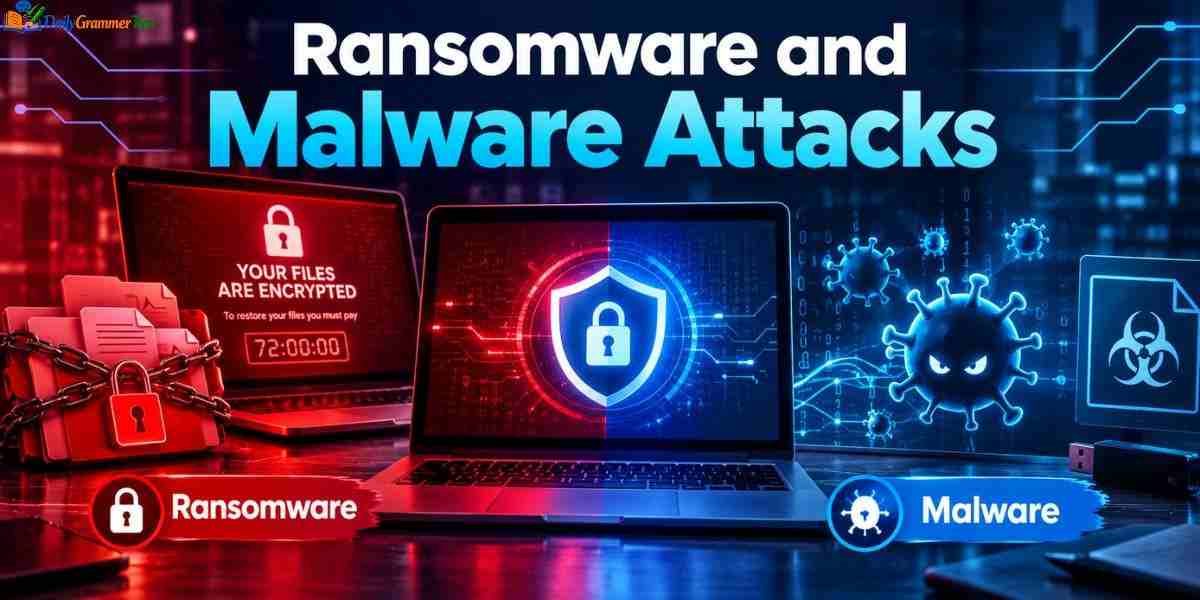
Malware is a broad term for harmful software. It includes viruses, worms, trojans, spyware, and ransomware. Each behaves differently, but all run on a device without the owner’s true consent. Knowing the categories makes security alerts and news reports easier to follow.
Ransomware is one of the most damaging kinds. It locks files or systems and demands payment. For many victims, the cost is not only money but also lost time and trust. Cyber hacking of this type can freeze schools, clinics, and shops within minutes.
| Feature | Malware | Ransomware |
| Scope | Broad category | One type of malware |
| Main aim | Spy, steal, damage, or control | Force a payment |
| Visibility | Often hidden | Openly announces itself |
| Key defense | Updates and security tools | Offline backups and access control |
Common Malware Types
A virus attaches itself to files and spreads when they are shared. A worm spreads on its own across networks. A trojan pretends to be a useful program while doing something harmful in the background. Each one spreads in a different way, so defenses must cover more than one path.
Spyware quietly records activity, such as typed passwords. Botnet software turns many infected devices into a network that criminals control. Knowing these names helps you understand alerts and reports. Some types stay hidden for a long time, which gives attackers more chance to collect data.
How Ransomware Works
Ransomware usually enters through a phishing message, a weak remote login, or an unpatched flaw. Once inside, it scrambles files so they cannot be opened. A note then demands payment. Weak remote access settings are a common door for cyber hacking, especially without an extra login step.
Many groups also steal data before locking it. They then threaten to publish it. This double pressure is why backups alone are not always enough. Because of this, prevention and quick detection matter more than any cleanup plan.
What to Do If You Are Infected
Disconnect the device from the network right away. This can stop the spread. Then contact your IT team or a trusted security professional before making any other move. Write down what you see on screen, since details can help investigators later.
Paying does not guarantee that files will return. Restore from clean backups where possible. Report the incident to the proper authorities in your country so others can be warned. Test your backups often, because a copy that fails is no help in a crisis.
Devices Most Vulnerable to Hacking
Any connected device can become a target. The most exposed ones are those that are rarely updated, use default settings, or hold valuable data. Attackers look for the easiest door, not the most impressive one. Old devices deserve special care, because makers often stop updates and cyber hacking risk grows.
A single weak device can expose an entire network. A neglected camera or router can become the starting point for wider access. That is why every device deserves attention. Keeping a simple list of connected devices makes this much easier to manage.
Routers and Smart Home Devices
Routers connect everything at home or work. Many ship with default names and passwords that criminals already know. If never changed, they invite easy access. Changing those settings takes only a few minutes and removes a very common weakness.
Smart plugs, cameras, and speakers add more entry points. Many have weak protection and receive few updates. Change default logins, install updates, and keep these devices on a separate network if you can. Many owners forget these devices exist, which leaves them running old software for years.
Computers and Webcams
Laptops and desktops hold files, saved logins, and personal photos. Malware can spy through webcams and microphones without any visible sign. Even a small light may not warn you. Keep your files backed up so an infection does not become a disaster.
Keep your operating system updated and use trusted security tools. Cover the camera when it is not in use. Avoid installing software from unknown sources. Habits such as logging out on shared computers add another layer of safety.
Email and Cloud Accounts
Email is the key to most other accounts. If an attacker controls it, they can reset passwords everywhere else. Cloud storage also holds files that many people forget to protect. That single account can act like a master key for your digital life.
Use a strong, unique password and an extra login step for both. Review connected apps and sign in history from time to time. Remove anything you do not recognize. Cyber hacking against personal accounts often starts with a single reused password.
How Do Hackers Hack Your Phone?
Phones hold messages, photos, banking apps, and location history. That makes them one of the richest targets. Most phone break ins do not need advanced skill. They rely on tricks and neglect. That mix of value and convenience is why attackers spend so much effort on them.
Understanding the common paths helps you close them. The methods below are described so you can defend yourself, not copy them. Most fixes are simple and free, and they take only a few minutes. The steps below show what to watch for and how to respond.
Common Ways Phones Get Compromised
Fake apps are one path. A harmful app may look useful but secretly collects data. Text messages with fake links are another, since one tap can lead to a login trap or a download. App stores screen for harmful apps, but some still slip through, so reading reviews helps.
Old software is a third path. Phones that miss updates keep known flaws. Unsafe public networks and stolen SIM control can also give attackers a way in. Regular updates also add new privacy tools, not only security fixes.
Warning Signs of a Hacked Phone
Watch for sudden battery drain, unusual heat, and slow performance. Strange charges, unknown apps, and messages you did not send are further clues. Data use that jumps without reason can also be a sign. Check which apps use the camera, microphone, and location, since cyber hacking often abuses these.
None of these signs proves a break in on its own. Together they deserve attention. Check your app list and account activity first. If several signs appear at once, act quickly and follow a clear checklist.
What to Do Right Away
Update the phone and remove apps you do not know. Change the passwords for your main accounts from a clean device. Turn on extra login steps wherever they are offered. Do this from a device you trust, in case the phone itself is watched.
If the problem continues, back up your important files and reset the phone to factory settings. Contact your bank if money may be at risk. Take these steps quickly. A reset removes most harmful software, but restore data only from a clean backup.
Famous Cyber Hacking Incidents

Past incidents teach lessons that stay relevant. Each one shows how a single weakness can grow into a global problem. Reading them helps us see patterns that repeat. They also give beginners real examples that make abstract ideas easier to understand. History rarely repeats exactly, but the same mistakes appear again and again.
We focus here on well documented cases. The details of each are widely reported by security researchers and news outlets. The lessons matter more than the numbers. Reading several trusted sources helps you separate facts from rumors.
The Morris Worm
In 1988, a graduate student released a self copying program to measure the size of the early internet. A design flaw made it copy itself too often. Thousands of computers slowed down or stopped. Networks at the time had almost no defenses because nobody expected such an event.
The creator became the first person convicted under the US Computer Fraud and Abuse Act. The lesson was clear. Even experiments can cause serious harm when systems are connected. It also pushed the industry to create teams that respond to emergencies on the internet.
WannaCry
In 2017, the WannaCry ransomware spread quickly around the world. It used a known flaw in Windows. Organizations that had not installed the fix were hit hardest, including hospitals. Simple steps such as updates and backups would have reduced the damage for many victims.
The event showed the price of delayed updates. It also showed how one weak point can disrupt public services. Many organizations changed their patching habits afterward. Regular practice of these basics saves time and money when the next threat appears.
Colonial Pipeline
In 2021, ransomware forced a major US fuel pipeline operator to pause operations. Reports said attackers used a single compromised password. Long lines and shortages followed in several regions. Operators shut down systems on purpose to stop the problem from spreading further.
This case showed that cyber incidents can reach daily life. It also highlighted the need for strong logins and separate systems. Critical services cannot rely on one weak lock. Even companies far from the technology business need a plan for such moments.
Evil Corp and Other Notorious Hacking Groups
Some hacking groups become well known because of the scale of their crimes. Their names appear in court filings, government notices, and research reports. Many operate like businesses, with roles, tools, and targets. Some run as organized crime networks, while others carry the interests of governments.
Attribution is often difficult. Claims about who is behind an attack usually come from governments and researchers. They can change as new evidence appears. Treat every name with care, and rely on official statements over rumors.
Evil Corp
Evil Corp is a Russia linked cybercrime group. It became known for spreading the Dridex banking trojan, which stole login details from victims. Later, the group was tied to ransomware campaigns. Its story shows how one malware family can fund a long and costly criminal effort.
In 2019, US authorities announced sanctions and charges against people linked to the group. The case showed that governments now treat cybercrime as a serious security issue. Such actions rarely end the crime, but they raise risk for offenders.
Lazarus Group
Lazarus Group is the name security researchers and governments use for a set of activities linked to North Korea. It has been connected to attacks on media firms, banks, and crypto platforms. Because attribution is complex, experts use careful language when describing this group.
Authorities describe its goals as spying, disruption, and raising money. These claims come from official reports. The case shows how state links can blur the line between crime and politics. Whatever the exact truth, banks and exchanges now watch closely for signs of cyber hacking.
Anonymous and LulzSec
Anonymous is a loose collective known for protest style attacks. It has no single leader, and many acts have been claimed in its name. Some were symbolic. Others caused real disruption. Its supporters have targeted many kinds of organizations, which shows how loose groups can act.
LulzSec was a small group that gained fame for leaking data and mocking targets. Its members were later arrested. Both groups show how online identity and activism can mix with crime. Their story shows that fame online does not protect people from real legal action.
Impact of Cyber Hacking on Individuals and Businesses

A successful break in can harm far more than a single device. The damage spreads through money, time, reputation, and peace of mind. Some effects appear at once. Others surface months later. Recovery can take a long time, especially when data has already been shared.
Because everything is connected, one incident can reach many people. A leak at one company can expose customers, staff, and partners. That is why the impact of cyber hacking is often larger than it first seems. Cyber hacking damage is often larger than early reports suggest, because full details take time to uncover.
Impact on Individuals
For individuals, the most common harm is identity theft and money loss. Stolen details can be used to open accounts, make purchases, or apply for loans. Fixing the damage can take months. Small losses can also add up, especially when criminals repeat the same trick.
There is an emotional side too. Victims often feel anxious, embarrassed, or angry. Private photos or messages that leak can cause lasting distress. Support and calm action help recovery. Talking with trusted friends or professionals can ease that pressure.
Impact on Businesses
Businesses face direct costs such as investigation, repair, and legal fees. They also face lost sales while systems are down. Fines may follow if customer data was not protected properly. Smaller firms are at risk too, because they often have fewer security staff.
The longer damage is trust. Customers may leave after a breach. Rebuilding a reputation takes far longer than restoring a server. Clear communication with customers after an incident can protect that trust.
Wider Impact on Society
Attacks on hospitals, power networks, and transport can put lives at risk. Even short outages can cause serious harm. Public trust in digital services can also fall after major incidents. Health, water, and power services are especially sensitive to even small failures.
Spreading false information and interfering with elections are further concerns. That is why cyber hacking is treated as a matter of public safety, not only private loss. Digital literacy helps citizens spot such tricks and understand the wider risk of cyber hacking.
How to Prevent Cyber Hacking
No single tool can stop every attack. Good defense is a mix of strong basics, regular care, and smart habits. The good news is that simple steps block a large share of common attacks. Layered defenses give attackers many hurdles instead of one easy path.
Start with what you control. Secure your accounts, update your devices, and build careful habits. Then add stronger layers as your needs grow. Consistent effort beats one big fix for cyber hacking risk. Regular small actions protect you better than rare big projects.
Build Strong Account Security
Use a long, unique password for each account. A password manager makes this practical, since you only remember one main password. Never reuse the same password across sites. Change any password right away if a service reports a leak.
Turn on multifactor authentication wherever it is offered. Prefer app codes or security keys over text codes if possible. This extra step stops many stolen password attacks. Keep recovery options up to date, so you can regain access if you lose a device.
Keep Devices and Software Updated
Install updates as soon as they are ready. Turn on automatic updates for your phone, computer, and router. Remove apps and programs you no longer use. Set a monthly reminder to review what is installed on each device.
Back up important files in more than one place. Keep at least one backup offline. This protects you from ransomware and from simple device loss. Test a restore now and then, so you know it will work when needed.
Build Safe Habits and Awareness
Slow down before clicking links or opening attachments. Verify unusual requests through a second channel. Be careful with public networks and shared devices. Think about the source, the request, and the urgency before you act, since cyber hacking relies on rushed choices. Cyber hacking depends on hurry, so a short pause is one of the strongest defenses you have.
Businesses should train staff regularly and give them an easy way to report suspicious messages. Give people access only to what they need. A clear response plan reduces panic when something goes wrong. Practice drills make responses faster and less stressful.
What Is Ethical Hacking and How Does It Help?
Ethical hacking means testing systems with permission to find weaknesses before criminals do. It uses many of the same skills as malicious hacking. The difference is approval, honesty, and purpose. The idea is to learn about weaknesses from a friend before an enemy finds them.
Organizations use it to measure real risk. Instead of guessing where they are weak, they let trained experts try to break in under control. The results guide better decisions. It also builds confidence, because leaders can see the real state of their defenses.
| Feature | Ethical Hacking | Malicious Hacking |
| Permission | Written approval | None |
| Purpose | Find and fix flaws | Steal, harm, or disrupt |
| Reporting | Full report to the owner | Kept secret |
| Legal status | Legal | Illegal |
What Ethical Hackers Do
Ethical hackers perform penetration tests, vulnerability assessments, and security reviews. Some run larger exercises where a red team plays the attacker and a blue team defends. Others review code and system design. Some specialists focus on web apps, wireless networks, or people and processes.
Their work ends with a clear report. It explains what was found, how serious it is, and how to fix it. Good reports help teams act rather than just worry. Retesting after fixes confirms that the problem is truly gone. Cyber hacking tests done this way turn vague fear into a clear and manageable task list.
The Basic Phases of Ethical Hacking
Most engagements follow a similar flow. First comes planning, where limits and goals are agreed. Then testers gather information, scan for weak points, and test them within the agreed rules. Every step is documented so that the client can review exactly what happened.
The final phase is reporting and follow up. Testers confirm that fixes work and share lessons. Strict rules keep the process safe and legal. Clear records also protect both sides if questions arise later.
Skills and Career Paths

Ethical hackers need strong knowledge of networks, systems, and web apps. Curiosity and patience matter just as much. Communication is also key, since findings must be explained to non technical readers. Cyber hacking knowledge is useful in many roles, from network work to legal support.
Recognized certifications and hands on practice help build trust. Many organizations also run bug bounty programs. These reward researchers who report flaws responsibly. Sharing knowledge about cyber hacking with the community also builds a strong reputation.
Frequently Asked Questions
What are the 7 main types of hackers?
The seven common types are white hat, black hat, grey hat, script kiddies, hacktivists, state sponsored hackers, and malicious insiders.
What is a hacker’s salary?
It varies by country, skill, and role. Entry level testers earn less, while senior experts and specialists earn much more.
What are the top 3 types of cyber attacks?
The most common are phishing, malware, and denial of service attacks. They often work together in one incident.
Is cybersecurity a hacker?
No. Cybersecurity is the practice of defending systems, while a hacker is a person. Ethical hackers work in cybersecurity, but the field is broader.
Who is the #1 hacker?
There is no official ranking. Kevin Mitnick is often called the most famous hacker, and he later became a security consultant.
Conclusion
Cyber hacking is not a passing trend. It is a permanent part of a connected world. The tools will keep changing, but the goals stay the same. Attackers want access, data, and money. Defenders want safety, trust, and stability. That contest will continue as long as people rely on digital systems.
The best protection is steady and simple. Use strong logins, update devices, back up files, and pause before you click. Learn from past incidents and support ethical testing. With these habits, you can stay ahead of cyber hacking for years to come. Small steps taken today will still protect you when new tools and threats appear.
