


Your phone unlocks when it sees your face. Your gallery groups every dog photo into one album. A hospital tool flags a tiny shadow on a scan. All of these tasks depend on image recognition, and this technology lets a computer work out what a picture shows.
A computer sees a picture as a grid of numbers. Image recognition turns those numbers into meaning. This guide explains image recognition in plain language. You will learn how it works, where it struggles, and how you can use it today.
What Is Image Recognition?
Image recognition is the ability of a computer to identify objects, people, places, text, or actions in a digital image. The system studies pixels and looks for patterns. Over time, it learns that one pattern means cat and another means bicycle. Engineers also call this task image classification.
Image recognition sits inside computer vision, the wider field that covers detection, segmentation, and video tracking. Most systems follow the same path. They collect labeled pictures, extract features, train a model, and test it on new images. A strong dataset matters as much as the model.
Image Recognition with Traditional Machine Learning
Early image recognition systems relied on hand picked features such as edges, corners, and color histograms. A classifier like a support vector machine read those features and chose a label. This worked for simple jobs, such as reading digits. But noise from grainy, blurry, or speckled images often fooled it.
Image Recognition with Deep Learning
Deep learning changed that. A convolutional neural network studies raw pixels and learns its own clues. Early layers spot edges, middle layers find shapes, and deep layers recognize whole objects. Transfer learning lets small teams adjust a pretrained model with a few hundred pictures, which made modern image recognition practical.
Challenges in Image Recognition
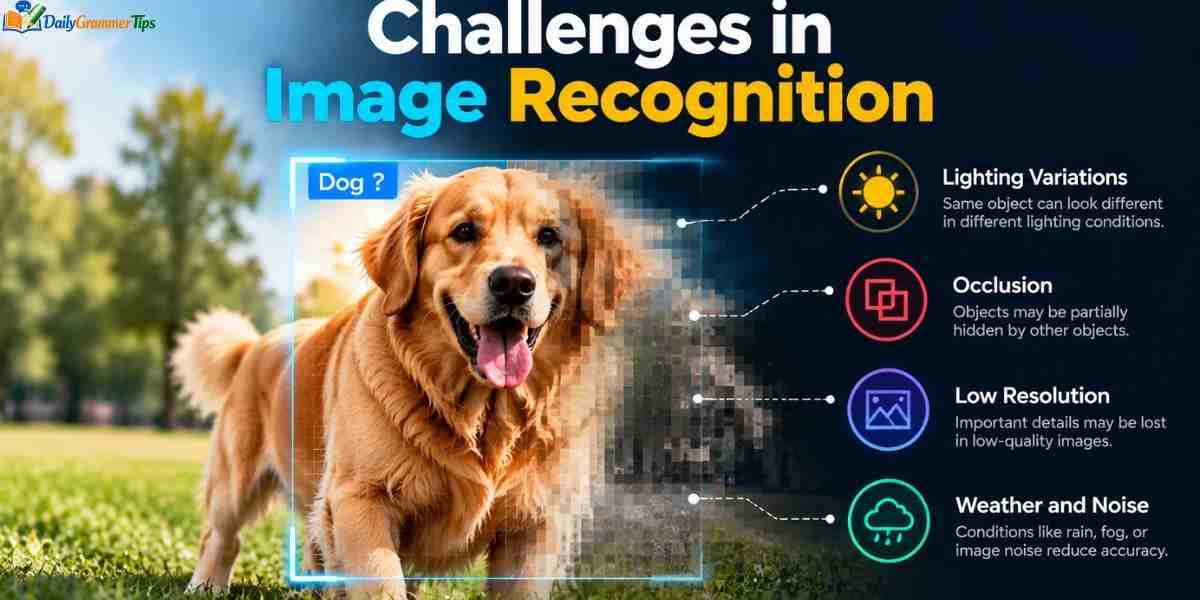
Models learn only from the data they see. Poor or biased datasets produce poor or unfair results. Shadows, glare, odd angles, and hidden objects also confuse them. Look alike classes, such as two mushroom species, trap even experts.
Attackers can change a few pixels and fool a model. Training large networks costs money and energy. Face systems raise privacy concerns, and many models cannot explain their choices. Teams that use image recognition for high stakes work should test carefully, audit bias, and keep humans involved.
Image Recognition and Object Detection
Basic image recognition answers one question: what is in this picture? Object detection goes further. It finds each object and draws a bounding box around it. A detection model can tell you a photo holds two dogs and one car, and show where each one sits.
Segmentation goes deeper still and labels every pixel. YOLO and SSD are popular detection models, and they work fast enough for live video. Pick the simplest task that solves your problem. Photo galleries need classification, while self driving cars need detection.
| Task | Question it answers | Output |
| Classification | What is in this picture? | Labels |
| Detection | What is here, and where? | Labels and boxes |
| Segmentation | Which pixels belong to which object? | Pixel map |
Evolving Uses of Image Recognition
Image recognition now sits inside everyday products. Smart refrigerators track your food, robot vacuums avoid cables, and security cameras tell visitors from passing cars. In healthcare, AI tools help doctors spot early signs of disease on scans. Farms, factories, and stores use it too.
Optical Character Recognition (OCR)
OCR reads text inside images and turns it into editable digital text. It cleans the image, finds text areas, reads each character, and outputs searchable words. Banks scan cheques with it, and airports read passports. Tools like Tesseract and modern deep learning engines even handle handwriting.
Image Recognition Online
You can try image recognition online without writing any code. Google Lens, reverse image search, and chatbots with image upload answer questions about your photos in seconds. Plant and animal identifier sites name species from one picture. Cloud demo pages also let you test labeling and text reading.
Use a sharp, well lit photo and crop out clutter for better results. Verify important answers with a second source. Avoid uploading private documents, identity cards, or photos of children to tools you do not trust. Read the privacy policy before you share anything.
Image Recognition AI
Image recognition AI learns from examples instead of fixed rules. In supervised learning, the model guesses a label, checks the answer, and adjusts itself millions of times. Newer zero shot models like CLIP link pictures with written descriptions. They can recognize things they never saw in training.
AI brings speed, scale, and consistency, and it works around the clock. Image recognition AI still makes confident mistakes, though. For medical or legal work, let the AI suggest and let a trained person decide.
Image Recognition Project
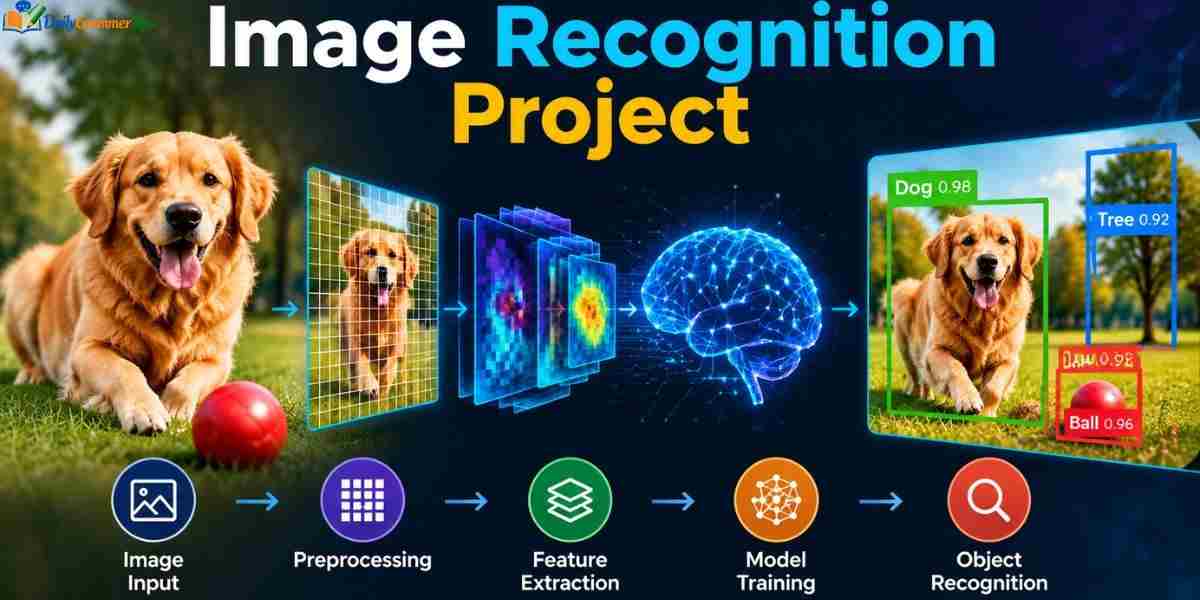
A hands on image recognition project teaches more than any article. Start small with ideas like cats versus dogs, handwritten digits, recyclable waste, or sick plant leaves. Use a public dataset from Kaggle, or take your own photos. Aim for at least one hundred pictures per class.
Split your data into training, validation, and test sets. Begin with a pretrained model and adjust it. Google Teachable Machine and Google Colab make this easy. Watch for overfitting in your image recognition model, where it memorizes training pictures but fails on new ones.
Image Recognition App
An image recognition app lets you point your camera and learn what you see. The app captures a photo and sends it to a model. The model returns labels with confidence scores. Google Lens, Pinterest Lens, Seek by iNaturalist, and Microsoft Seeing AI are well known examples.
Developers choose between cloud and on device processing. Cloud models run stronger but need internet and raise privacy questions. On device models run fast and offline but stay smaller. Tools like TensorFlow Lite, Core ML, and Google ML Kit help developers build apps.
Learn more………Hardware: Complete Guide to Computer Hardware and Components
Image Recognition Python
Python leads image recognition work because it has simple syntax and strong libraries. OpenCV and Pillow handle images, while TensorFlow, Keras, and PyTorch build neural networks. Scikit learn supports classic methods. A pretrained model like MobileNetV2 can name objects in a photo with only a few lines of code.
import numpy as np
from tensorflow.keras.applications import MobileNetV2
from tensorflow.keras.applications.mobilenet_v2 import preprocess_input, decode_predictions
from tensorflow.keras.preprocessing import image
model = MobileNetV2(weights=”imagenet”)
img = image.load_img(“photo.jpg”, target_size=(224, 224))
array = np.expand_dims(image.img_to_array(img), axis=0)
predictions = model.predict(preprocess_input(array))
for label in decode_predictions(predictions, top=3)[0]:
print(label[1], round(float(label[2]) * 100, 1))
This script loads a model that knows a thousand common objects. It resizes your photo, converts it to numbers, and prints the top three labels with confidence scores. Next, try transfer learning on your own folders of pictures.
Image Recognition Application
Every industry finds a useful image recognition application. Hospitals flag anomalies in scans. Retailers track shelves and power visual search. Farmers spot disease from drone photos. Factories inspect parts on the line, and insurers check damage photos to speed up claims.
The best systems solve one narrow problem, like checking bottle caps. Face based tools need strict rules for consent and accuracy. Treat the model as an assistant, not an unquestioned judge.
Image Recognition Google
Google offers many routes into image recognition. Google Lens identifies plants, products, landmarks, and text. Google Photos searches your library by content, and Google Images supports reverse search through the camera icon. Developers can use the Cloud Vision API, Vertex AI, ML Kit, and TensorFlow.
To identify a picture, open Google Images or the Google app and tap the camera icon. Upload your photo and read the matches. Crop to your main subject if results look off. Google works best for products, landmarks, and plants, and less well for rare items.
Image Recognition Examples
You meet image recognition examples every day. Your phone unlocks with your face. Your gallery finds dog photos on request. Parking gates read license plates. Factory cameras reject cracked parts, and plant apps name flowers from a snapshot.
More examples include radiologists using AI to mark possible fractures, cars reading stop signs, and camera traps counting rare animals. Platforms also detect harmful images before people see them. Apps even describe scenes aloud for blind users.
What Is Image Recognition?
Image recognition is the ability of a computer to identify objects, people, places, text, or actions in a digital image. The system studies the pixels and looks for patterns. It then gives each picture a label, such as dog, car, or tree. Engineers also call this task image classification.
Image recognition belongs to computer vision, the wider field that helps machines understand visual data. It relies on machine learning and neural networks to learn from labeled examples. The more varied pictures a model sees, the better it performs. People use it daily in phone cameras, photo apps, and security tools.
How Does Image Recognition Work?
Image recognition starts with data. Engineers collect thousands of labeled pictures and resize them to a standard shape. A neural network then scans the pixels and extracts features such as edges, colors, and textures. Early layers spot simple patterns, while deeper layers recognize whole objects.
The model guesses a label for each picture and compares the guess with the correct answer. It adjusts its internal weights after every mistake. This loop repeats millions of times until accuracy improves. Finally, the team tests the model on new pictures and releases it for real use.
Image Recognition Online
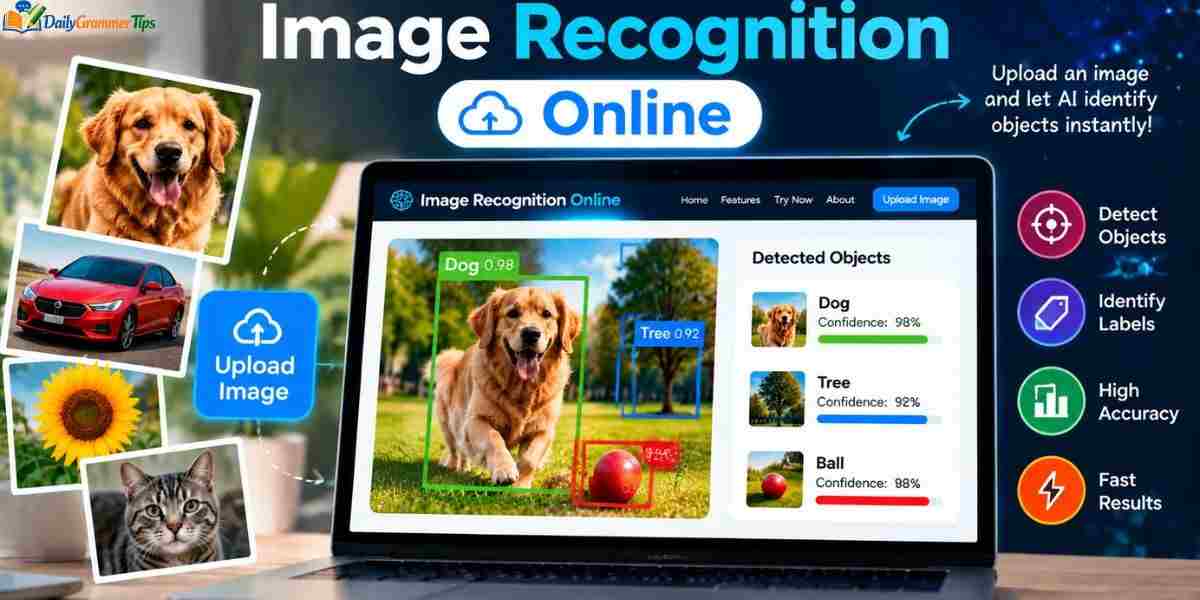
You can try image recognition online without writing any code. Google Lens, reverse image search tools, and chatbots with image upload name objects, plants, and landmarks in seconds. Plant and animal identifier sites work the same way. Cloud demo pages also let you test text reading and labeling in your browser.
Use a sharp, well lit photo and crop out clutter for better results. Check important answers with a second source. Avoid uploading private documents, identity cards, or photos of children to tools you do not trust. Always read the privacy policy before you share a picture.
Image Recognition Google
Google offers several easy ways to use image recognition. Google Lens identifies plants, products, landmarks, and text through your camera. Google Photos searches your library by what appears in each picture. Google Images also supports reverse search when you tap the camera icon and upload a photo.
Developers get stronger tools from Google Cloud. The Vision API reads labels and text, and Vertex AI trains custom models. ML Kit adds ready made features to Android and iOS apps. Google works best for products, landmarks, and plants, and less well for rare items.
Image Recognition App
An image recognition app lets you point your camera and learn what you see. The app captures a photo and sends it to a model. The model returns labels with confidence scores, and the app shows a simple answer. Google Lens, Pinterest Lens, and Seek by iNaturalist are popular examples.
Developers choose between cloud and on device processing. Cloud models run stronger but need internet and raise privacy questions. On device models run fast and work offline but stay smaller. Tools like TensorFlow Lite, Core ML, and Google ML Kit help teams build these apps.
Frequently Asked Questions
Can ChatGPT identify a picture?
Yes. You can upload a picture to ChatGPT, and it will describe what it sees and answer questions about it. It can still make mistakes, so double check important details.
How can I use Google to identify an image?
Open Google Lens in the Google app or use the camera icon in Google Images. Upload or snap a photo, and Google shows matches and details.
How to use AI image recognition?
Pick a tool such as Google Lens, a chatbot with image upload, or a cloud API. Upload a clear picture, read the result, and verify it when the stakes are high.
What is image recognition?
It is the ability of a computer to identify objects, people, text, or scenes in a picture.
Which AI is best for identifying images?
It depends on the job. Google Lens suits daily searches, multimodal chatbots suit descriptions, and cloud APIs suit developers who need custom results.
Conclusion
Image recognition lets computers understand pictures far faster than people can. It started with hand built features and grew through deep learning into a tool that powers phones, hospitals, farms, and stores. Image recognition still has limits, including bias, noise, and confident mistakes.
You can start today. Try Google Lens, upload a photo to an AI chatbot, or run a small Python script. Every experiment teaches you something new, and curious beginners have plenty of room to grow.
